
Table of Contents
What is ServiceNow UI Builder?
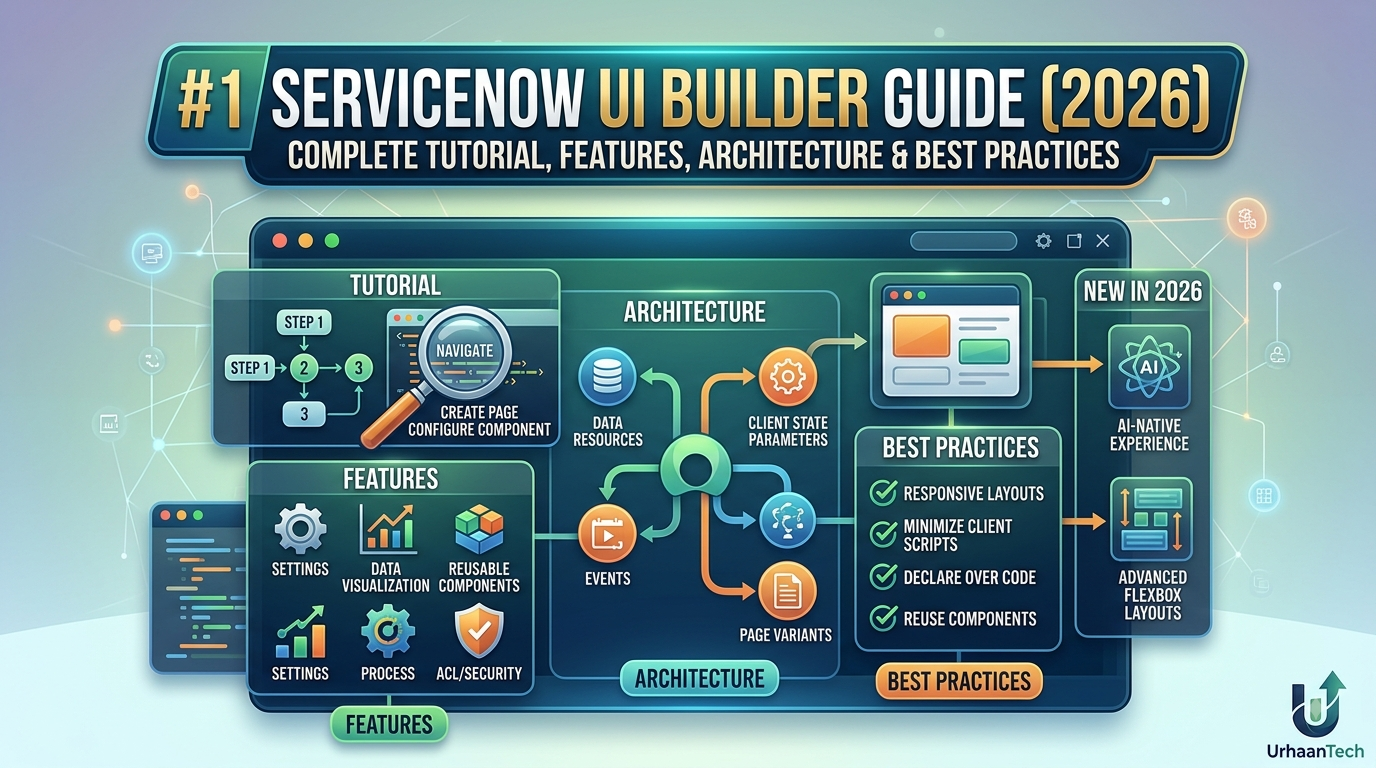
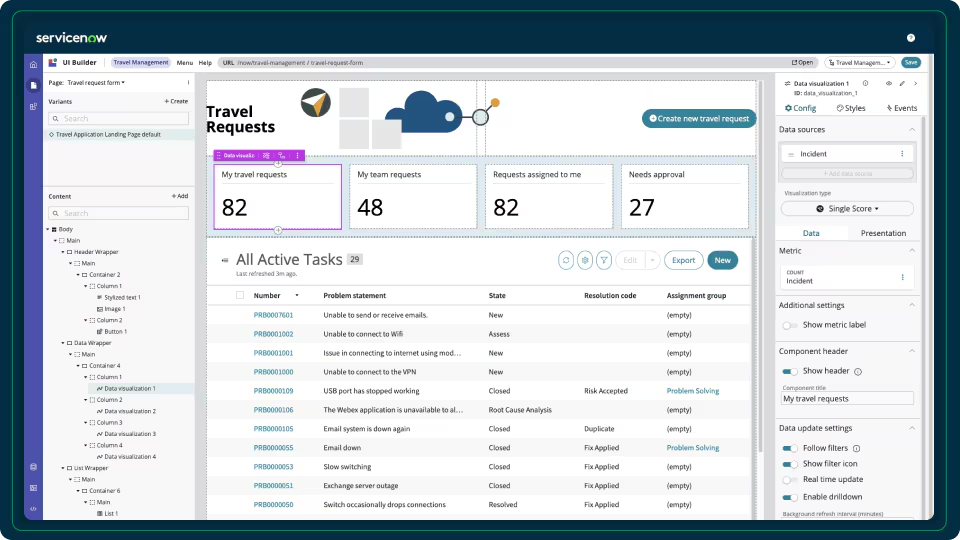
ServiceNow UI Builder is the modern low-code user interface development environment used to create Configurable Workspaces, custom experiences, and App Engine applications on the Now Platform.
Introduced with the Quebec release and continuously enhanced through later releases, UI Builder has become the standard framework for creating modern ServiceNow user experiences using Next Experience Components, reusable layouts, declarative configuration, and event-driven architecture. (ServiceNow)
Unlike the legacy Service Portal, UI Builder provides a component-based architecture similar to modern frameworks such as React while remaining largely low-code.
Why ServiceNow Created UI Builder
Traditional UI technologies such as:
- UI Pages
- Jelly
- Service Portal Widgets
- AngularJS
were becoming difficult to maintain and modernize.
UI Builder solves these problems by offering:
- Low-code page development
- Reusable components
- Responsive layouts
- Better workspace experiences
- Declarative event handling
- Modern UX architecture
- Better upgrade compatibility
Today almost every new ServiceNow product—including CSM Workspace, ITSM Workspace, HR Workspace, SPM Workspace, FSM Workspace, and custom App Engine workspaces—is built using UI Builder. (ServiceNow)
UI Builder Architecture
A simplified architecture looks like this:
Experience
│
├── Routes
│
├── Pages
│     │
│     ├── Page Variants
│     │
│     ├── Layout
│     │
│     ├── Components
│     │
│     ├── Data Resources
│     │
│     ├── Client State
│     │
│     ├── Client Scripts
│     │
│     └── Event Handlers
│
└── Themes
Everything displayed on screen is composed of these building blocks.
Core Building Blocks of UI Builder
1. Experiences
An Experience is the highest-level container.
Examples include:
- ITSM Workspace
- HR Workspace
- CSM Workspace
- Custom Application Workspace
Each experience contains:
- Pages
- Routes
- Navigation
- Branding
- Themes
2. Pages
Pages are individual screens users interact with.
Examples:
- Home
- Incident Form
- Dashboard
- Employee Profile
- Knowledge Article
Every workspace consists of multiple pages.
3. Page Variants
One of the most powerful UI Builder capabilities is Page Variants.
Instead of duplicating pages, developers create variants for:
- Different user roles
- Different audiences
- Device types
- Record conditions
Example:
Home Page

├── Agent Variant
├── Manager Variant
├── Admin Variant
All share the same URL but render differently depending on conditions. (ServiceNow)
Components
Components are reusable UI elements.
Examples include:
- Button
- Heading
- Text
- Avatar
- List
- Form
- Tabs
- Card
- Data Visualization
- Related Records
- Timeline
- KPI
- Chart
- Modal
Current releases include well over 150 baseline components, with support for custom web components. (ServiceNow)
Layout System
UI Builder supports responsive layouts using:
- Flexbox
- CSS Grid
- Containers
- Columns
- Rows
- Responsive viewports
This allows interfaces to adapt to desktop, tablet, and mobile devices. (ServiceNow)
Data Resources
A UI without data has little value.
Data Resources connect components to ServiceNow records.
Supported data sources include:
- Record
- Record Collection
- GraphQL
- REST APIs
- Scripted Data Resources
- Custom Data Resources
For example:
Incident Table

↓

Record Collection

↓

List Component
No scripting is required for many common scenarios.
Data Binding
Data Binding dynamically connects component properties to data resources.
Example:
Heading

↓

{{incident.short_description}}
When the record changes, the UI updates automatically.
Benefits include:
- Reduced JavaScript
- Real-time updates
- Better maintainability
- Reusable components
Events
UI Builder uses an event-driven architecture.
Examples:
- Button Clicked
- Form Submitted
- Record Selected
- Row Clicked
- Modal Opened
Events trigger actions without writing large amounts of custom code.
Example flow:
Button Click

↓

Event

↓

Handler

↓

Open Modal
Event Handlers
Common handlers include:
- Navigate
- Refresh Data
- Open Modal
- Update State
- Execute Client Script
- Trigger Action
- Set Parameter
This declarative model reduces custom scripting while improving readability. (ServiceNow)
Client State Parameters
Client State acts as temporary page memory.
Examples:
Selected User

Current Filter

Selected Category

Dark Mode

Language
Unlike server-side data, client state exists only in the browser and enables communication between components.
Client Scripts
When declarative configuration is insufficient, Client Scripts provide custom logic using JavaScript.
Common uses:
- Complex calculations
- Data transformation
- Validation
- Custom formatting
- Dynamic filtering
Declarative Actions
Declarative Actions execute predefined logic without extensive scripting.
Examples:
- Create Record
- Update Record
- Open Record
- Launch Flow
- Navigate
- Refresh Page
These actions align with the platform’s low-code philosophy.
Navigation and Routing
UI Builder uses routes instead of hard-coded URLs.
Example:
/home

/incidents

/problems

/change

/dashboard
Route parameters can dynamically load records.
Themes
Themes provide centralized branding.
You can configure:
- Fonts
- Colors
- Spacing
- Icons
- Logos
Organizations can apply consistent branding across all experiences.
Custom Components
When baseline components are insufficient, developers can build custom components using the Now Experience framework and web components.
Typical scenarios include:
- Organization-specific dashboards
- Advanced visualizations
- Specialized input controls
- Third-party integrations
UI Builder vs Service Portal
| Feature | UI Builder | Service Portal |
|---|---|---|
| Framework | Next Experience | AngularJS |
| Architecture | Component-based | Widget-based |
| Future Investment | High | Limited |
| Workspace Support | Yes | No |
| Custom Components | Yes | Limited |
| Responsive Design | Built-in | Manual |
| Upgrade Path | Better | More customization risk |
ServiceNow documentation notes that base system Service Portals are still configured with Service Portal tools, while UI Builder is the strategic direction for modern experiences and workspaces. (ServiceNow)
Performance Best Practices
For optimal performance:
- Reuse components.
- Load only required data.
- Minimize client scripts.
- Prefer declarative actions over custom code.
- Cache frequently accessed data.
- Avoid unnecessary page variants.
- Use pagination for large record collections.
- Refresh only affected data resources instead of the entire page.
Security Considerations
UI Builder follows ServiceNow platform security, including:
- ACL enforcement
- Role-based access
- Audience targeting
- Data security
- Client-side state isolation
Security should always be enforced server-side rather than relying on hidden UI elements.
Common Use Cases
UI Builder is commonly used for:
- ITSM Agent Workspace
- HR Service Delivery Workspace
- Customer Service Workspace
- Field Service Workspace
- Employee Center pages
- Executive dashboards
- Asset management applications
- Approval portals
- Custom App Engine applications
Community Insights and Real-World Challenges
Community discussions reveal several recurring themes:
1. Steep Learning Curve
Many developers transitioning from Service Portal initially find UI Builder more complex because they must understand components, data resources, events, client state, and bindings together rather than relying on traditional widget-based development. (Reddit)
2. Documentation Has Improved
ServiceNow’s UI Builder product team has acknowledged earlier documentation gaps and has expanded tutorials, labs, workshops, and examples. Recent releases include more comprehensive guides and learning resources. (Reddit)
3. Page Variants Over Rebuilding
Experienced practitioners recommend creating page variants to customize existing workspaces instead of rebuilding them from scratch. This approach reduces maintenance and simplifies upgrades. (Reddit)
4. Invest Time in Fundamentals
Community members frequently recommend completing the UI Builder Fundamentals training before attempting advanced customization, as it explains experiences, pages, layouts, data resources, client scripts, and events in a structured way. (Reddit)
Best Practices
- Design reusable components.
- Keep client scripts focused and minimal.
- Use data resources instead of GlideAjax where possible.
- Favor declarative actions over imperative code.
- Use page variants for role-specific experiences.
- Store transient values in client state parameters.
- Test layouts across multiple viewport sizes.
- Follow the Horizon Design System for a consistent user experience.
Future of UI Builder
ServiceNow continues to position UI Builder as the primary interface technology for new applications. The platform receives frequent enhancements through the ServiceNow Store and ongoing platform releases, reflecting a long-term investment in low-code, component-based development. (ServiceNow)
Conclusion
ServiceNow UI Builder has evolved into the platform’s flagship framework for creating modern, responsive, and maintainable user experiences. By combining reusable components, declarative data binding, event-driven interactions, and flexible layouts, it enables organizations to build sophisticated workspaces with less custom code while staying aligned with platform upgrades.
Although the initial learning curve is steeper than legacy approaches such as Service Portal, mastering concepts like Experiences, Pages, Components, Data Resources, Events, Client State, and Page Variants provides a strong foundation for building scalable enterprise applications. As ServiceNow continues to invest in Next Experience, UI Builder is well positioned to remain the preferred technology for developing future-ready interfaces across the Now Platform.
