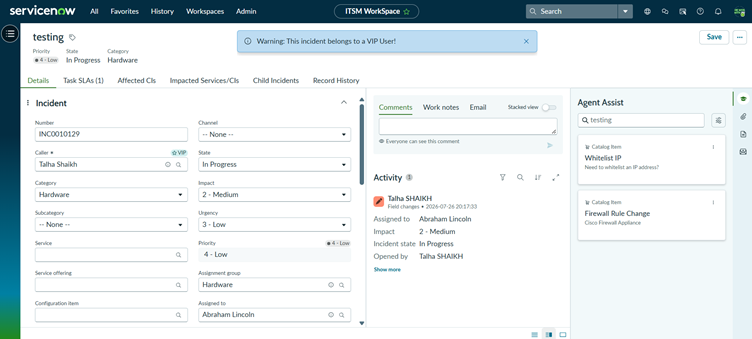
1. Objective
The objective of this document is to create an Incident List Page and an Incident Record Page in the custom ITSM WorkSpace experience using UI Builder.
The final result will allow users to:
- View a list of Incidents.
- Select an Incident from the list.
- Open the selected Incident in a Record Page.
- View and manage the Incident details.
2. Prerequisites
Before starting, make sure:
- The ITSM WorkSpace Experience has already been created.
- You have access to UI Builder.
- You have access to the Incident [incident] table.
- There are Incident records available for testing.
- You have the required roles/permissions to configure UI Builder.
3. Open the ITSM WorkSpace in UI Builder
- Navigate to All.
- Search for UI Builder.
- Open UI Builder.
- From the Experience list, locate:
ITSM WorkSpace
- Open the Experience.
You should now be inside the UI Builder interface for your custom workspace.
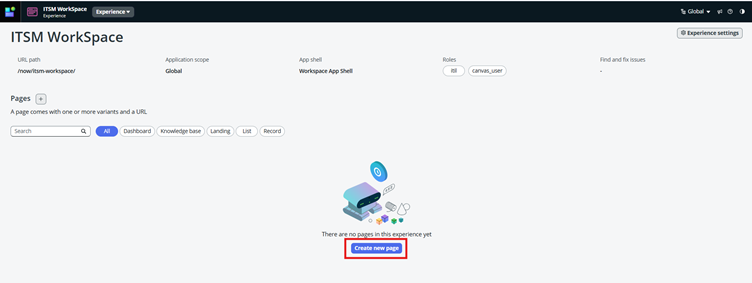
4. Create the Incident List Page
The List Page will display multiple Incident records.
Step 1: Create a new page
- In UI Builder, click Add and Create a page using template List Page Template.
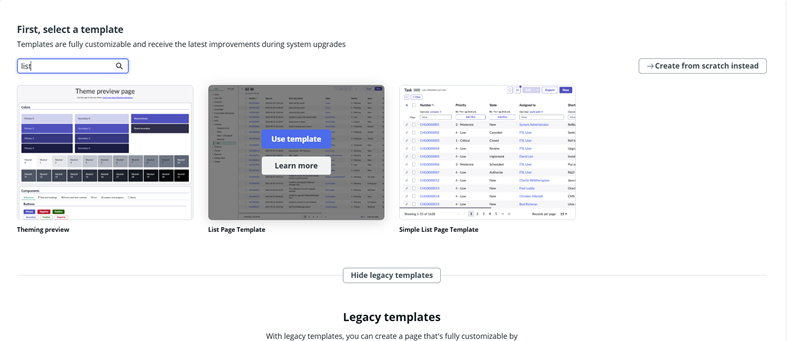
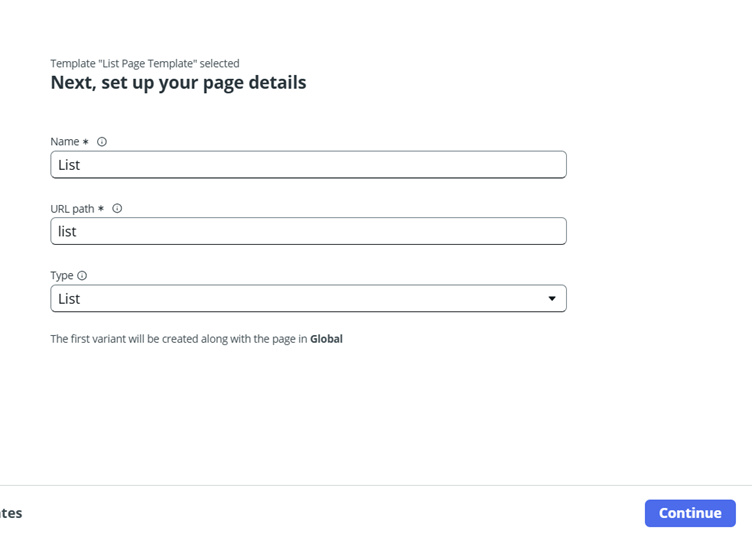
Step 2: Now our List page is ready.
We have used name as List for better understanding.
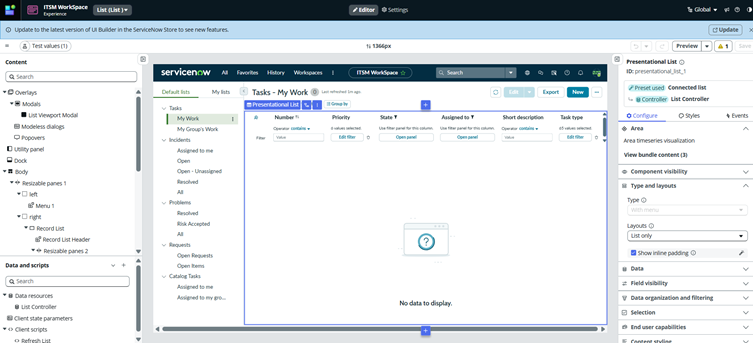
- Create the Incident Record Page
Add a new page
- Return to the ITSM WorkSpace page list.
- Click Add a new page.
- Select Standard Record Template.
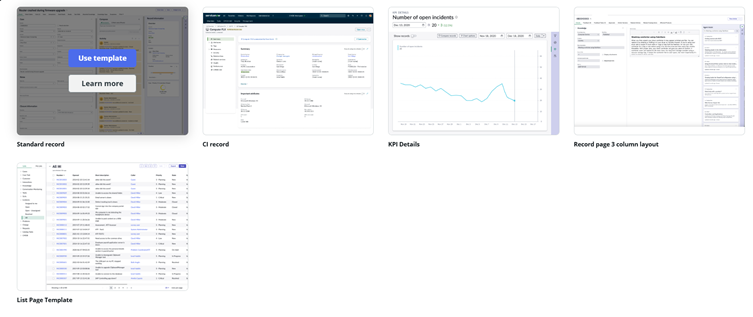
- As we have selected record template page type gets selected as record .
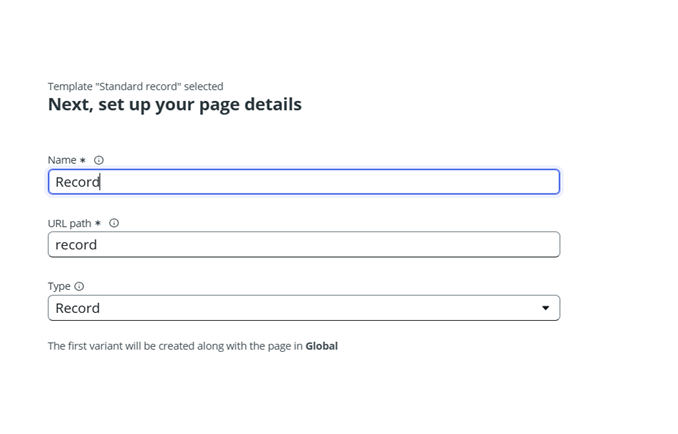
- Template automatically takes values and creates record page.
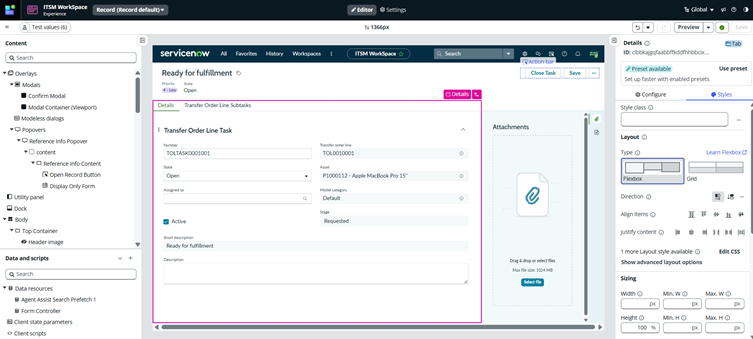
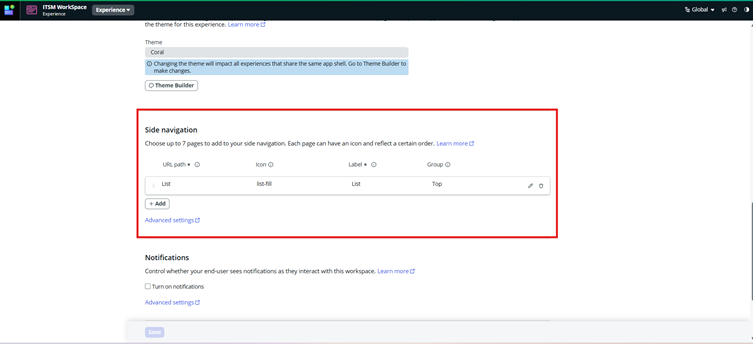
For Side Navigation we will navigate to Experience Settings and Add Side Navigation.
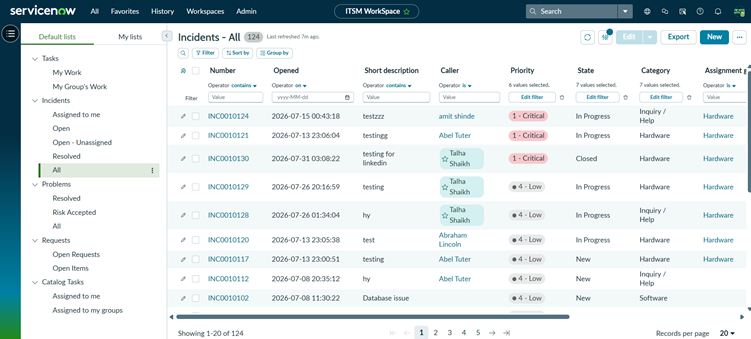
Now our ITSM WorkSpace is ready
List View:
Record View: